Segmenting a Home Network with OpenWrt, UniFi and Managed Switches
How do you separate homelab administration, household devices, less-trusted IoT equipment and guests without making ordinary home networking unnecessarily difficult? My first attempt at answering that question ran into a practical problem: a household phone needed selected home services, but putting it on an isolated IoT Wi-Fi blocked those services. Letting every wireless client into the server network would have solved the immediate problem by removing the boundary I wanted.
The useful question became which devices need which services, rather than whether a device is wired or wireless. I use four network roles as a design guide:
| Role | What belongs there | Intended access |
|---|---|---|
| Trusted network | Administration computer, servers and network management | Management access, kept away from general-purpose clients |
| Household network | Selected personal devices | Approved home services, not blanket server administration |
| IoT network | Less-trusted connected devices | Internet and only specifically required local services |
| Guest network | Visitors | Internet; local access only as a deliberate, narrow exception |
These are roles, not a claim that I have four independently validated homelab VLANs. In particular, the servers share the trusted network rather than a separately demonstrated homelab VLAN. A network name or a configured interface is not proof of end-to-end isolation.
Who does what
OpenWrt is the router: it owns interfaces, DHCP, routing and firewall policy. UniFi provides the Wi-Fi networks and associates wireless clients with the intended network. Managed switches, including third-party switches, carry the relevant Ethernet traffic between the router and access point. Every link in that path must agree about which traffic is untagged and which VLANs are tagged; the router’s firewall then determines whether traffic may cross between networks.
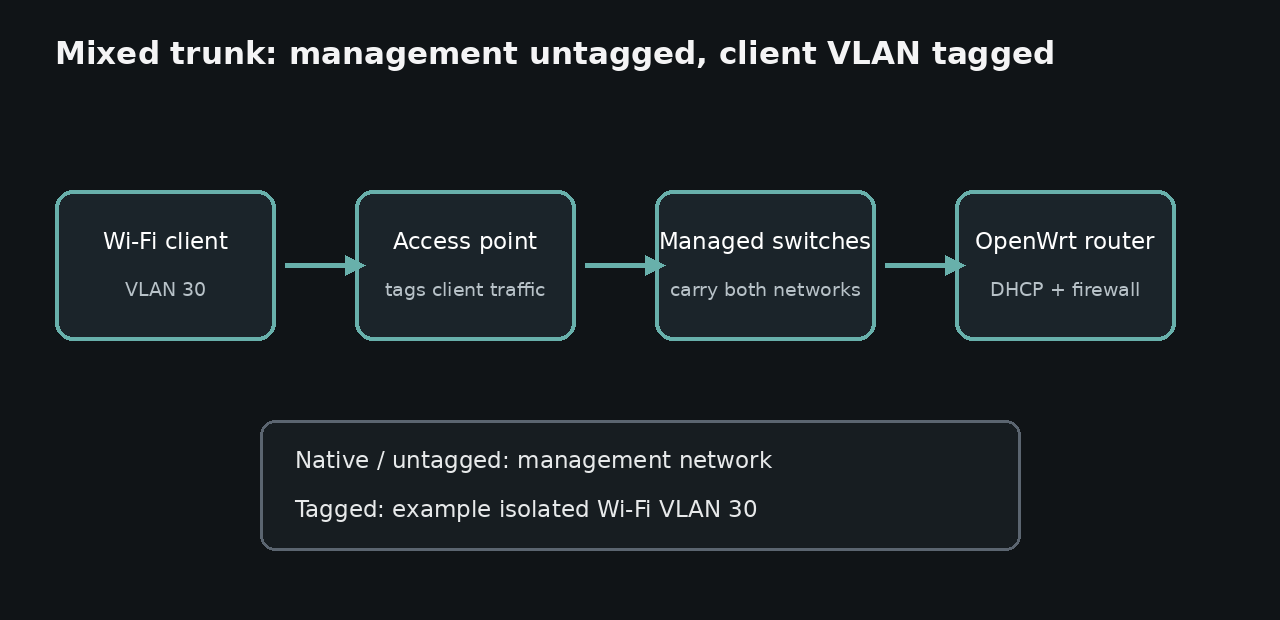
The diagram uses an example VLAN number, not my live VLAN ID, port map, address plan or SSID. The earlier walkthrough of carrying an isolated Wi-Fi VLAN across OpenWrt and managed switches covers the tagging and switch-port details. This article is about deciding where access should and should not exist.
A separate SSID is useful for choosing which network a device joins. It is not, by itself, an access-control policy. Likewise, assigning an address and reaching the internet show that basic connectivity works; they do not establish that management interfaces are blocked.
Why the household network matters
An IoT network designed to keep clients away from local infrastructure is an awkward home for a phone that genuinely needs selected services. Weakening that network for every IoT device would trade away isolation for convenience. Moving all phones onto the trusted network would grant more access than they need.
The household role provides a place to define a narrower policy: allow the particular service destinations and ports that are needed, while denying general access to router, switch, access-point and server administration. That is a policy goal, not a claim that every such rule has been independently tested. Application authentication still matters even when the firewall permits a connection.
There are a couple of less obvious failure modes. A service may work by direct HTTPS address while casting or automatic discovery fails across subnets; discovery protocols may require separate handling. Conversely, a client can obtain an IP address yet fail to reach a permitted service because forwarding or the return route is wrong. Container-network address overlaps can also misroute replies. I check the actual path in both directions rather than assuming an SSID proves the whole design.
The test that counts
I evaluate each network from a real client connected to that network:
- Confirm the client receives an address and has the expected internet and DNS connectivity.
- From the household network, check that approved services work and management destinations do not.
- From IoT and guest networks, check that private destinations are inaccessible except for explicitly allowed exceptions.
- Check whether wireless clients can communicate with one another separately from inter-network restrictions.
- Test discovery and casting separately from direct application access, where those features are actually required.
- Check router firewall rules and the return route; don’t infer isolation solely from successful Wi-Fi association or a VLAN label.
Before changing switch membership or management VLAN settings, keep a tested path back to the devices and a saved configuration. A broken trunk can take away the management connection needed to fix it.
The end state I want is straightforward: everyday devices can reach the few things they need, less-trusted devices cannot wander into homelab administration, and guests do not inherit access merely because they share the same physical access point. Separate by trust and required access, then verify from each client network.
Privacy note: network roles, diagram labels and example VLAN values here are generic. No live SSIDs, addresses, device names, physical port assignments or management screenshots are published.