Carrying an Isolated Wi-Fi VLAN Across OpenWrt and Managed Switches
I wanted ordinary wireless and IoT clients separated from the network used to manage my homelab. The router already provided the isolated network, so the job was to carry it to a UniFi access point without moving the access point or switches onto it.
The useful part was not the particular hardware. It was making several vendors agree on one simple Ethernet contract:
Management network    native / untagged
Isolated Wi-Fi VLAN   tagged
Here, native/untagged is a property of each Ethernet link, not of a VLAN everywhere. On these links, management frames leave without an 802.1Q tag, while isolated-network frames leave with the example VLAN tag. The receiving port classifies incoming untagged frames into the management VLAN using its PVID.
I have deliberately replaced my addresses, VLAN number, SSID, port numbers and device identifiers with examples. The method matters; publishing a map of my own network does not.
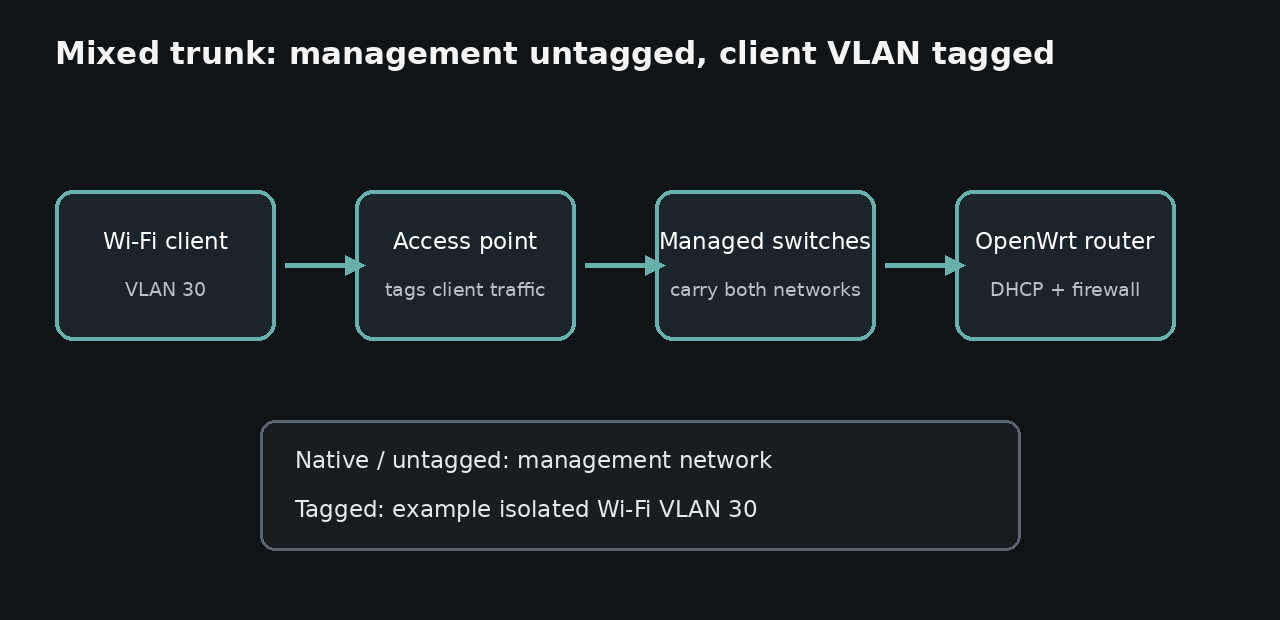
The design
The router remains responsible for DHCP, routing and firewall policy. UniFi defines the Wi-Fi network and adds the VLAN tag, while every managed switch in the path carries that tag unchanged.
Wi-Fi client
    |
UniFi access point
    |  management untagged + isolated Wi-Fi tagged
managed switch path
    |
OpenWrt router
    |-- management bridge
    `-- tagged VLAN device -> isolated bridge
For the examples below, I use VLAN 30. Substitute the VLAN ID chosen for your own network.
The access point itself remains on the untagged management network. Only client traffic from the isolated SSID uses the tagged VLAN.
Prepare a rollback path before changing VLANs
I export the router and switch configurations before changing membership, PVIDs or management addressing. I also record the original values and keep a laptop on a known untagged management port with a tested local administrator login. Where the hardware permits it, a serial console or other direct-management path is safer than depending on the Wi-Fi or trunk being changed.
The rollback is decided before applying anything: change one device at a time, use an apply-with-rollback timer where available, and keep the old management VLAN until the new path works from a second session. If management disappears, I stop and restore the saved configuration through the direct path instead of making more remote guesses. This is slower than changing the whole path at once and much less likely to turn a VLAN mistake into a physical recovery visit.
1. Define the network in UniFi
Because OpenWrt, not UniFi, is the gateway, I created the VLAN in UniFi as a third-party gateway network. Older UniFi versions called this a VLAN-only network. I then assigned a temporary test SSID to it.
This definition tells the access point to tag traffic from the SSID. It does not make UniFi the gateway or give it responsibility for DHCP and firewall policy.

The screenshot above is deliberately redacted and relabelled. TEST-WIFI and VLAN 30 are examples, not my live values.
On the access-point uplink and every switch-to-switch link in the path, the intended policy is:
Native network: management network
Tagged networks: allow VLAN 30
A temporary SSID makes testing safer because it does not disturb an existing wireless network. Its name does not need to describe the real network or its purpose.
2. Configure every managed-switch link
On a third-party managed switch, I enabled advanced 802.1Q VLAN handling and configured both ends of each trunk consistently:
Management VLAN  -> untagged, management PVID
VLAN 30          -> tagged
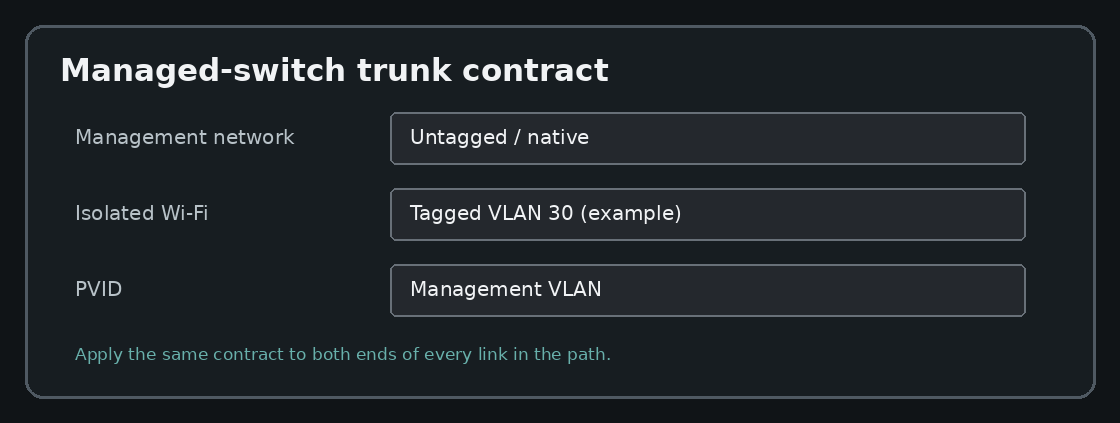
The exact menus differ by vendor, but three values matter:
- membership decides whether a VLAN is allowed on a port;
- tagged or untagged decides how frames leave that port;
- PVID is the VLAN classification assigned to untagged frames arriving on that port. It does not decide whether frames leave tagged or untagged; that is a separate egress setting.
For a mixed trunk, the management network stays untagged and the isolated client VLAN stays tagged. An inconsistent setting on any link can let the access point remain manageable while preventing its wireless clients from obtaining an address.
3. Terminate the tag on the OpenWrt bridge
My first attempt created an 802.1Q device directly on a physical LAN port:
lan-port.30 -> isolated bridge
A client could authenticate to Wi-Fi but reported an IP-configuration failure. The VLAN device received no useful traffic.
On this DSA-based OpenWrt setup, the physical port was already a member of the main LAN bridge. The working Layer-3 endpoint therefore sat above that bridge rather than directly on the enslaved port:
Device type: VLAN (802.1q)
Base device: br-lan
VLAN ID: 30
Device name: br-lan.30
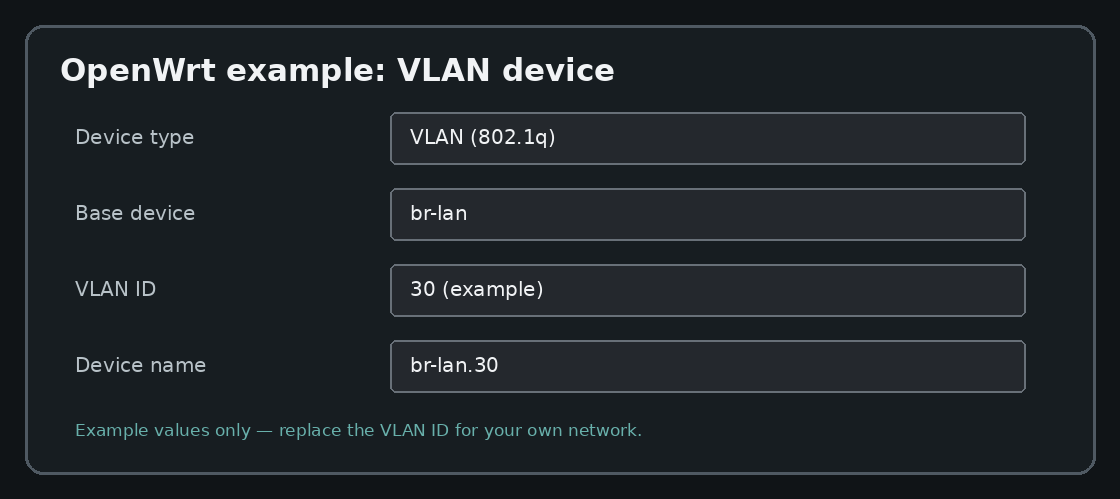
I then added the logical VLAN device br-lan.30 to the existing isolated bridge:
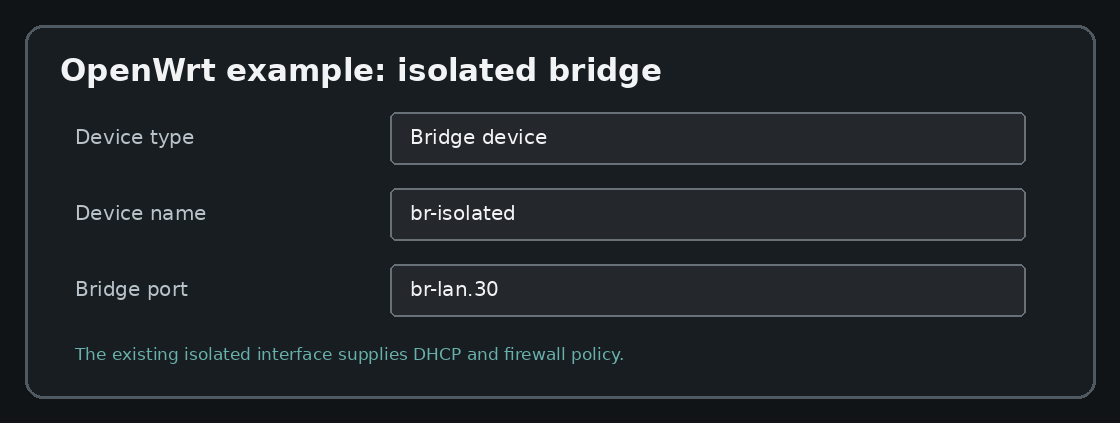
physical LAN port
       |
     br-lan
       |-- untagged management traffic
       `-- br-lan.30 -> isolated bridge
The existing isolated interface remained the single Layer-3 gateway and DHCP-serving interface. Adding br-lan.30 extended that same network onto Ethernet; it did not create another subnet, gateway or DHCP server.
Verify which bridge mode is active before using this pattern. With bridge VLAN filtering disabled, br-lan can carry tags transparently, but it may also forward the tagged VLAN through other member ports. With bridge VLAN filtering enabled, add an explicit bridge-VLAN membership row and mark only the intended trunk port or ports as tagged for VLAN 30; OpenWrt may then generate br-lan.30 from that row, in which case you should not create a second device with the same name. Creating a VLAN device defines the router endpoint, but it does not replace the per-port trunk policy.
This detail is platform-specific rather than a universal rule. OpenWrt devices can expose switching in different ways, and older instructions may describe swconfig rather than DSA. Check how the target device represents its ports and bridges before copying an interface layout.
4. Verify the physical path before redesigning it
One fault was much less technical: the cable connected to the configured switch port was not the uplink I thought it was.
That is easy to miss in a mixed-vendor network. A correct VLAN configuration on the wrong physical port is still a broken configuration.
Before changing bridges, DHCP or firewall rules, verify:
- which physical port leads toward the router;
- which port leads to the next switch;
- which port leads to the access point;
- whether link state and the switch MAC table support that map;
- whether labels match the cables that are actually connected.
5. Test one layer at a time
A successful Wi-Fi association proves only that the radio and authentication worked. It does not prove that the tagged Ethernet path, DHCP, routing or isolation works.
I tested in this order:
- Association: the client joins the temporary SSID.
- VLAN transport: tagged traffic reaches the router-side VLAN device.
- DHCP: the client receives an address from the isolated network’s DHCP server.
- Internet access: DNS and normal outbound traffic work as intended.
- Isolation: access to the management network is blocked unless a narrow rule explicitly permits it.
- Management: the access point and switches remain reachable through the untagged management network.
An IP configuration failure shows that Wi-Fi association succeeded but address configuration did not. A missing VLAN on a trunk is one common cause, but so are an incorrectly bound or disabled DHCP server, firewall rules blocking DHCP to the router, an exhausted address pool or a rogue DHCP server. Check whether the client’s DHCP Discover reaches the VLAN endpoint and whether an Offer returns through the same path.
Firewall policy still matters
A VLAN separates broadcast domains, but it is not automatically a security boundary. If the router forwards freely between networks, a separate VLAN provides organisation without meaningful isolation.
The isolated zone allows only the required traffic to the router, such as DHCP and router-hosted DNS, and permits forwarding to the WAN. It has no broad forwarding permission to the management zone. Router administration services such as LuCI and SSH are blocked from the isolated zone unless explicitly allowed. If IPv6 is enabled, test and enforce the same policy over IPv6 rather than checking IPv4 alone.
This policy isolates the VLAN from management networks. It does not automatically prevent clients on the isolated SSID from communicating with one another; peer isolation is a separate access-point or firewall design choice.
Test the negative case from an actual client. A working internet connection does not prove that private destinations are blocked.
The reusable lesson
Multi-vendor VLANs work when every link agrees on the same contract. Write that contract down before opening any control panel:
What stays untagged?
Which VLAN IDs must be tagged?
Which device supplies DHCP and routing?
Where is inter-VLAN access blocked?
Then test from the client toward the router, one layer at a time. In my case, the two most useful fixes were terminating the VLAN on the OpenWrt bridge rather than the enslaved physical port, and checking the real cable path before changing more configuration.